Conversion Tracking Setup: GA4 and Google Ads Made Simple
You cannot improve ads you cannot measure. This guide shows what to track, how to set up key events in GA4, and how to connect them to Google Ads.
Google Ads captures people searching right now; Meta Ads finds people who have not searched yet. Learn when to use each and how to combine them for leads.
“Should I run Google Ads or Meta Ads?” is one of the most common questions from business owners. The honest answer is that they do different jobs, and the better choice depends on your product, budget and sales cycle.
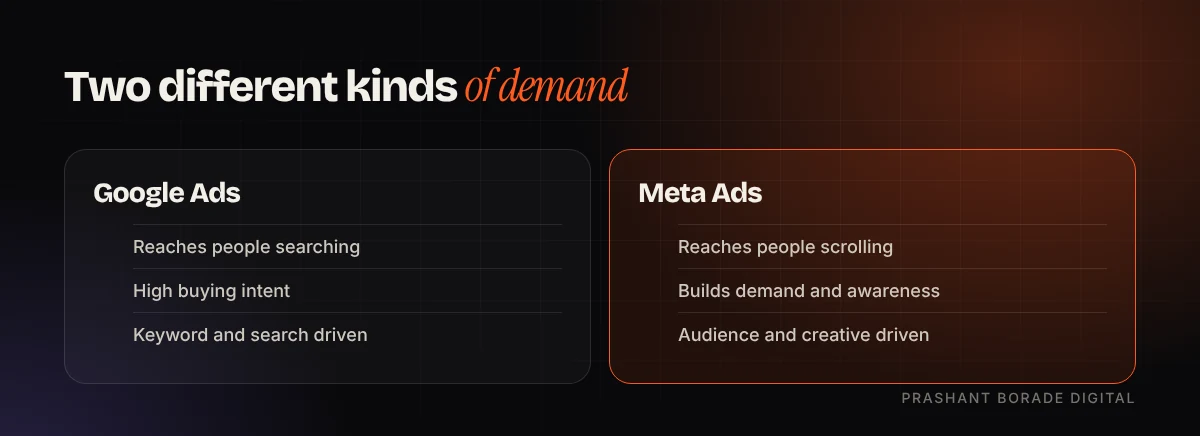
With Google Ads, you show up when someone searches for what you sell, such as “CA in Pune” or “wedding photographer near me”. These people are already looking, so intent is high.
Meta Ads (Facebook and Instagram) put your offer in front of people based on interests, behaviour and location, even if they have not searched for you. Creative quality is critical.
Whichever you pick, measure leads properly. Track form submissions, calls and WhatsApp clicks, and judge campaigns by cost per qualified lead rather than clicks. See our conversion tracking guide and performance marketing services.
Cost varies by industry, location and competition. Compare cost per qualified lead, not cost per click.
Enough to collect meaningful data. A very small budget spread across many campaigns learns slowly, so start focused.
Yes, and many businesses do. Use Meta to build demand and Google to capture people who search.
Get a free review of your Google Ads and Meta Ads setup and tracking.
Explore performance marketing